Tap-to-Click for Apple Magic Mouse
A lightweight macOS utility that adds silent tap-to-click, right-click, and middle-click gestures to your Apple Magic Mouse, without requiring a physical click.
A quieter experience
TapToClick for macOS
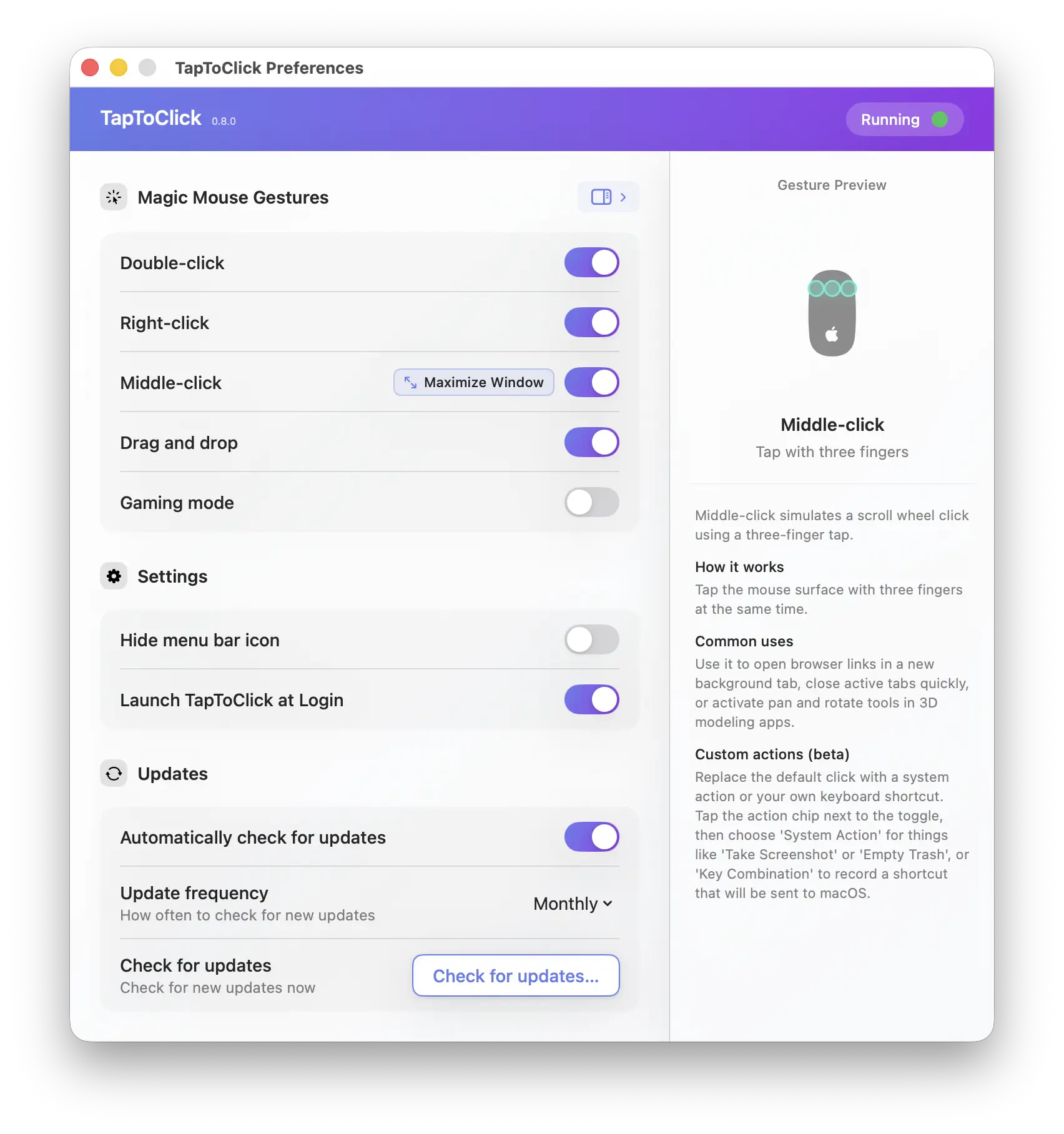
TapToClick changes how clicking works on your Apple Magic Mouse. Instead of physically pressing the mouse down, you tap lightly on its surface, and the app detects that tap and registers it as a click.
-
Tap to click
Perform single, double, and triple clicks with a light touch to the left side of the mouse. You can open files, select text, and navigate exactly as you do now, just without the physical press, sound, or resistance.
-
Right-click zone
Tap the right side of the Magic Mouse surface, and the app registers it as a right-click. This opens the same context menu as a physical right-click, without needing you to press down anywhere on the mouse.
-
Middle-click
Place three fingers on the surface at once to simulate a scroll wheel click. Useful for opening links in a new tab, closing tabs, or activating pan and rotate tools in creative apps.
-
Drag and drop
Move windows, files, and other items without holding down a physical button. Double-tap and hold on the second tap, then slide the mouse to drag.
And under the hood
-
Gaming mode
Hold right-click to aim down sights while tapping the left side of the mouse to fire.
-
Minimalism
Less is more. No subscriptions, no bloat, no telemetry. Just the features you'll actually use.
-
Palm rejection
Resting your palm or fingers on the mouse won't trigger accidental clicks.
-
Battery friendly
Minimal CPU and memory use, with zero impact on performance or battery life.
-
Compatibility
Works with any macOS version, without interfering with native Magic Mouse gestures.
-
Verified by Apple
Notarized by Apple, confirming it's free of malware and meets their security standards.
Try it free for 10 days
Download TapToClick and use it for 10 days before deciding. No account or credit card required — just install and see whether it fits your workflow.
Install & Forget
TapToClick runs silently in the background on macOS, bringing enhanced gestures to your Apple Magic Mouse. Set it up once and it responds to a gentle touch instead of a mechanical click, eliminating unwanted noise entirely.
Simple Setup
Up and running in a minute
Download
Download TapToClick and drag it to Applications folder on your Mac.
Enable Accessibility
Grant accessibility permission in System Settings — takes about 10 seconds.
Start Tapping
That's it. You're ready to use new gestures.
Simple, Fair Pricing
One-time purchase. No subscriptions. No hidden fees.
One-time purchase
-
Tap-to-click gestures
-
Gaming mode support
-
Apple notarized security
-
Lifetime updates
-
Email support
A single license activates up to 3 devices.
Need Help?
We're here to help you get started and answer your questions. We typically reply within 24 hours.